

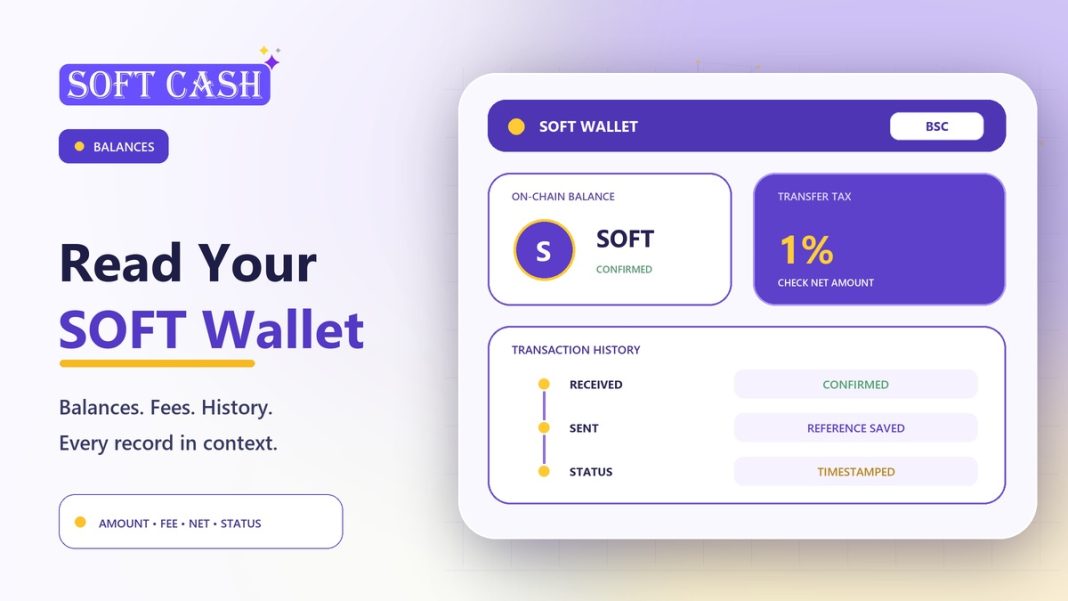
Your SOFT Wallet is the on-chain view of confirmed SOFT holdings and their blockchain activity. Read it by separating the available balance from transaction-specific amounts, checking every displayed fee and net amount, and using the transaction history status, timestamp, destination, network, and reference to understand what happened.
That disciplined approach helps prevent common mistakes, especially when a wallet screen includes incoming transfers, outgoing transfers, fees, pending activity, and links to the separate Reward Center.
What your SOFT Wallet represents
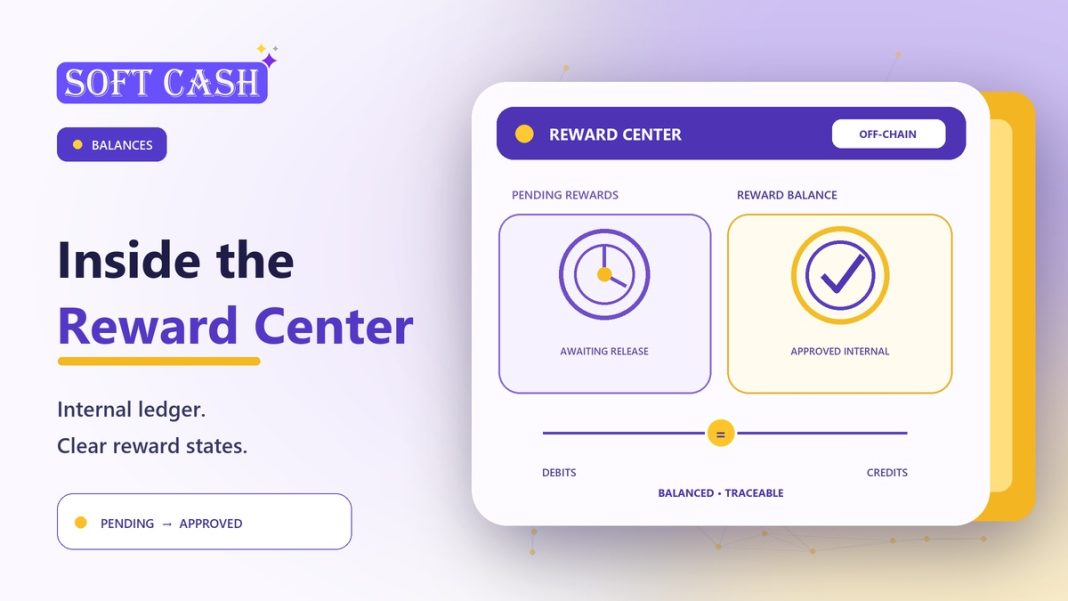
The SOFT Wallet is the on-chain interface for SOFT, a BEP-20 token on BNB Smart Chain. Its confirmed balance represents blockchain holdings associated with the wallet context. This is different from the Reward Center, which is an internal off-chain ledger for Pending Rewards, approved Reward Balance, and supported internal movements.
Do not add the two screens together and call the result one on-chain wallet balance. If you need a clear comparison first, read SOFT Wallet vs Reward Center. Keeping these systems separate makes balances and transaction records easier to interpret.
How to read the balance area
Start with the token name, network, and displayed wallet balance. Confirm that you are viewing SOFT on BNB Smart Chain rather than a similarly named asset or another network. A wallet may also show a price reference or estimated fiat value, but an estimate is not a promise that a trade will execute at that price.
- Confirmed balance: the SOFT holdings recorded in the on-chain wallet context after relevant activity has been confirmed.
- Amount: the quantity associated with a particular send, receive, or supported transfer action.
- Fee or tax: a deduction associated with the specific route. Never assume that one fee applies to every action.
- Net amount: the value remaining after the displayed fee or other applicable deduction.
- Available amount: the amount the current interface indicates can be used for an action; check it again immediately before authorizing.
Balances can change after new transactions or confirmations. Refresh through the official interface and use the detailed record rather than relying on an old screenshot.
Understand fees by transaction type
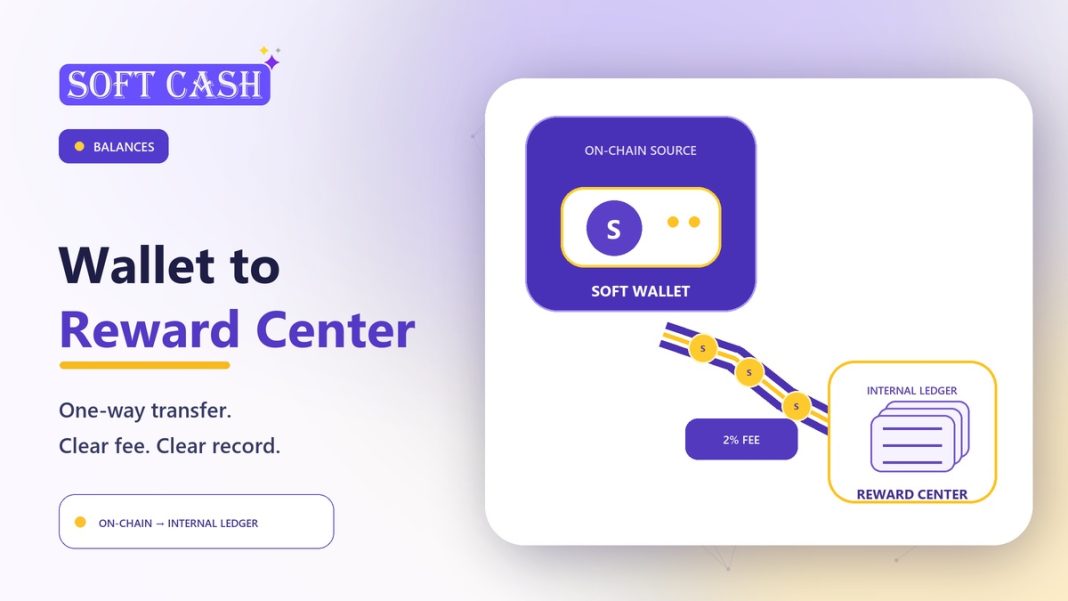
The current documented SOFT token transfer tax is 1%. A wallet-to-Reward Center transfer has a separate documented fee of 2%. These are different routes, so their labels, destination, and confirmation details matter. The platform also documents other fees for other features, but they should not be applied to an ordinary wallet transaction unless the current official confirmation identifies that action.
Before approval, read the amount, fee, net amount, destination, network, and status together. If the fee shown by the live official interface differs from an older guide, stop and verify the latest official information before proceeding. Fees and similar operational settings can be governed and updated; the confirmation you authorize is the immediate transaction record.
How to read transaction history
Transaction history is more than a list of amounts. Each entry should be treated as a record with enough context to identify the action and follow its status.
- Direction: whether the record is incoming, outgoing, or a supported transfer into another platform context.
- Status: whether the action is processing, confirmed, completed, failed, or shown in another clearly defined state by the interface.
- Timestamp: when the record was created or updated. Check the displayed time context rather than assuming it matches your local clock.
- Destination or source: the address or named internal destination associated with the action.
- Network: BNB Smart Chain for the SOFT BEP-20 wallet context.
- Reference: the transaction hash or platform reference used to trace the record and support an inquiry.
Do not infer a guaranteed processing time from a single past transaction. Network and operational conditions can vary. If an entry remains unresolved, keep its reference and contact official support without exposing passwords, PINs, private keys, seed phrases, or recovery credentials.
Check a record before you act
- Open Soft Cash Finance from a verified official link and navigate to the SOFT Wallet.
- Confirm the token and BNB Smart Chain context.
- Compare the main balance with the amount attached to the specific transaction.
- Read the fee and net amount instead of estimating them from memory.
- Verify the destination or source carefully, character by character where an address is shown.
- Review the status, timestamp, and reference before submitting again or asking for help.
For instructions on sending and receiving, see How to Send and Receive SOFT Using the SOFT Wallet. For the dedicated move into the internal ledger, see How to Transfer SOFT From Your Wallet to the Reward Center.
Key takeaways
- The SOFT Wallet shows confirmed on-chain SOFT holdings; the Reward Center is a separate off-chain ledger.
- Read amount, fee, net amount, destination, network, and status as one confirmation set.
- The documented token transfer tax is 1%, while the wallet-to-Reward route has a separate 2% fee.
- Use timestamps and references to trace activity; do not rely only on balance screenshots.
- Never share passwords, PINs, private keys, seed phrases, or recovery credentials.
Frequently asked questions
Does my SOFT Wallet balance include Reward Center balances?
No. The SOFT Wallet is the on-chain context, while Reward Center values are recorded in an internal off-chain ledger. Review them separately.
Why can the amount and net amount be different?
A displayed fee or applicable token tax can reduce the net amount. Read the transaction-specific confirmation before authorizing.
What fee applies when transferring SOFT?
The current documented BEP-20 token transfer tax is 1%. A wallet-to-Reward Center transfer is a different route with a documented 2% fee. Verify the live action and confirmation.
What should I do if a transaction status does not change?
Keep the transaction hash or platform reference, avoid repeated submissions, and use official support. Never send private credentials in a support request.
Is a displayed price estimate guaranteed?
No. A displayed reference value does not guarantee execution price, liquidity, approval, or outcome. Review the current transaction details and risks.
Visit the official Soft Cash Finance website to review the current SOFT Wallet interface, live transaction details, and official support options.