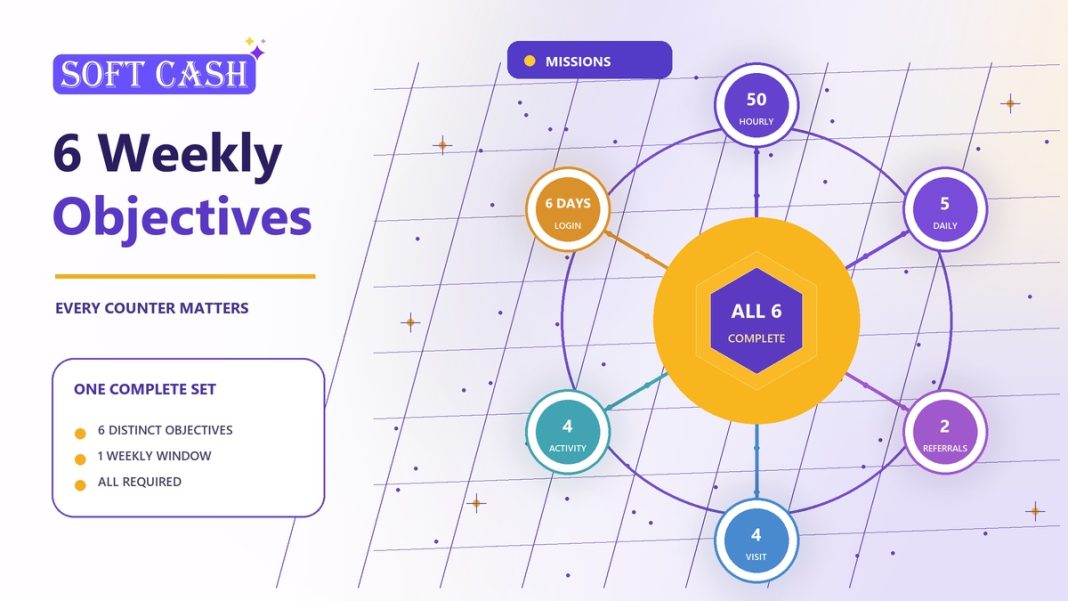



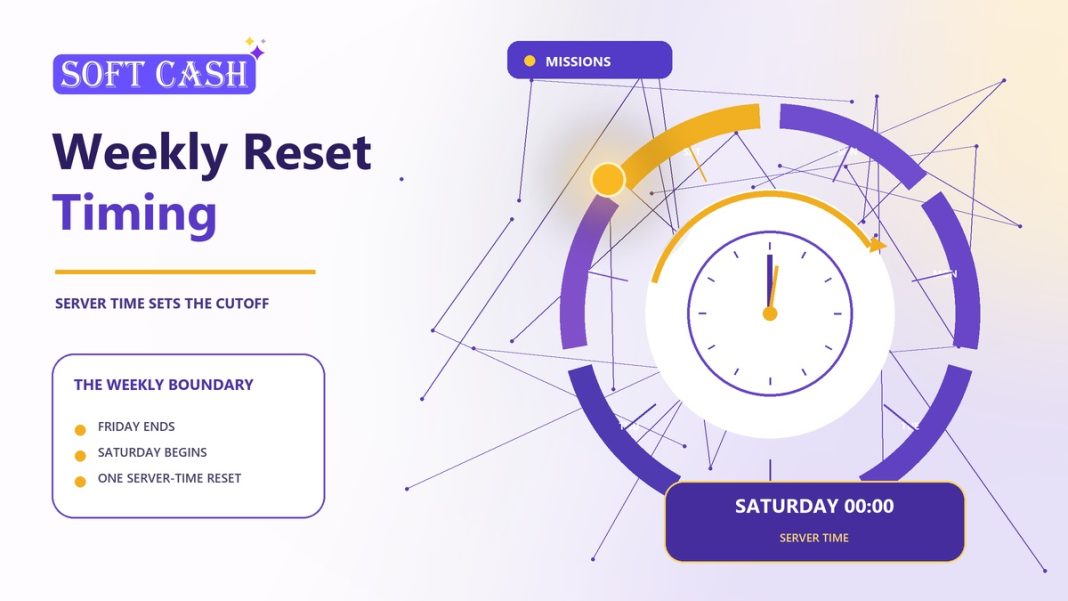
The Soft Cash Finance Weekly Challenge resets every Saturday at 00:00 server time, immediately after Friday ends. Timing matters because all six objectives must be completed within the active weekly cycle; partial completion does not earn the current Weekly Challenge reward.
The server clock—not a phone, browser, or local wall clock—defines the cutoff. The safest approach is to confirm the countdown in the live Weekly Challenge panel, start multi-day objectives early, and verify that every counter is complete before the reset.
What the Weekly Challenge reset means
A weekly reset creates a clear boundary between one challenge cycle and the next. Progress is assessed against the six objectives for the active cycle, and full completion before the cutoff unlocks one current reward of 5,000 SOFT. Completing only some objectives does not produce a smaller Weekly Challenge reward.
The confirmed cutoff is Saturday at 00:00 server time. In practical terms, Friday is the final day of the active cycle. A task completed after the server passes that boundary belongs outside the cycle that just ended, so it cannot repair an objective that was still incomplete at the cutoff.
This weekly rule is specific to the Weekly Challenge. It should not be confused with the eligibility windows for individual Hourly or Daily missions, or with a device’s local calendar. For a broader overview, read what the Weekly Challenge is and how it works.
Why server time matters more than local time
Users may participate from different time zones, but the challenge needs one consistent deadline. Server time provides that shared reference. Your local Saturday midnight may occur before or after the platform’s Saturday 00:00, so planning from a local calendar alone can create a missed cutoff.
Device clocks are also not proof of eligibility. Changing a phone or computer clock cannot extend the challenge window or create valid progress because mission events are recorded through platform-side systems. Use the reset time displayed in the live interface and allow a reasonable margin instead of trying to finish at the last minute.
Which objectives are most sensitive to timing?
All six objectives must be complete, but several require progress across multiple eligibility windows or days:
- 50 Hourly claims: eligible claims are time-based, so the required count cannot sensibly be compressed into one final session.
- 5 Daily claims: each Daily claim has its own active-day requirement of 10 eligible Hourly claims.
- 6 consecutive login days: continuity matters, and missed days cannot be recovered by multiple logins later.
- 2 Verified Referrals: invitations alone are not the same as referrals satisfying the applicable verified-referral condition.
- 4 Visit Task rewards and 4 Activity rewards: these are separate counters with their own qualifying activity.
The full list is explained in the guide to all six Weekly Challenge objectives. Extra progress on one counter does not substitute for an incomplete counter elsewhere.
A practical weekly timing plan
- At the start of the cycle: open the live panel, note the server-time reset, and review all six counters.
- Early in the week: begin the consecutive-login sequence and the Hourly-to-Daily path. These objectives depend on repeated eligibility windows.
- During the middle of the cycle: check that successful actions are actually reflected in the relevant counters. Keep Visit Task and Activity progress separate.
- Before Friday ends in server time: identify any incomplete objective and decide whether it can still be completed legitimately within the remaining window.
- Before the cutoff: confirm all six counters rather than relying on memory, notifications, or an assumed local deadline.
This plan is a tracking method, not a guarantee of qualification. Server-side eligibility controls and the live challenge record determine whether an event counts.
What to do if the reset is close
Do not use automation, repeated refreshes, duplicate accounts, device-time changes, or fabricated activity to chase a deadline. These actions do not create legitimate qualifying events and may conflict with fairness and anti-bot controls.
If a counter appears wrong, preserve useful evidence such as the displayed counter and time, then use the official support route. Rapidly repeating the same action is not a reliable substitute for a recorded eligible event. When little time remains, the live status should be treated as the practical source of truth for that cycle.
Reward timing and the Reward Center
The current full Weekly Challenge reward is 5,000 SOFT, and there is no partial Weekly Challenge reward. Mission rewards are recorded through the off-chain Reward Center, which is separate from the on-chain SOFT Wallet used for confirmed BEP-20 holdings.
Official sources do not yet confirm how long a completed but unclaimed Weekly Challenge reward remains available. Do not infer an expiry period from the weekly reset. Follow the claim status and instructions shown in the live interface, and remember that mission rewards are governed values rather than guaranteed income.
Key takeaways
- The Weekly Challenge resets Saturday at 00:00 server time, immediately after Friday ends.
- All six objectives must be complete within the active cycle.
- Partial completion earns no Weekly Challenge reward.
- Server time governs the cutoff; a local or device clock does not.
- Multi-day objectives should be started early and checked in the live panel.
Frequently asked questions
When exactly does the Weekly Challenge reset?
It resets every Saturday at 00:00 server time, immediately after Friday ends.
Does my local midnight control the reset?
No. The server clock controls the challenge cutoff. Use the server-time information displayed by the platform rather than assuming your local midnight is the deadline.
Can partial progress earn part of the Weekly Challenge reward?
No. Current rules require all six objectives to be completed within the active cycle, and partial completion earns no Weekly Challenge reward.
Can I change my device clock to extend the cycle?
No. Platform-side records and server time govern eligibility. Changing a device clock does not extend the official challenge window.
Where can I confirm the current reset and reward rules?
Check the live Weekly Challenge panel and visit the official Soft Cash Finance website for current information and announced updates.