

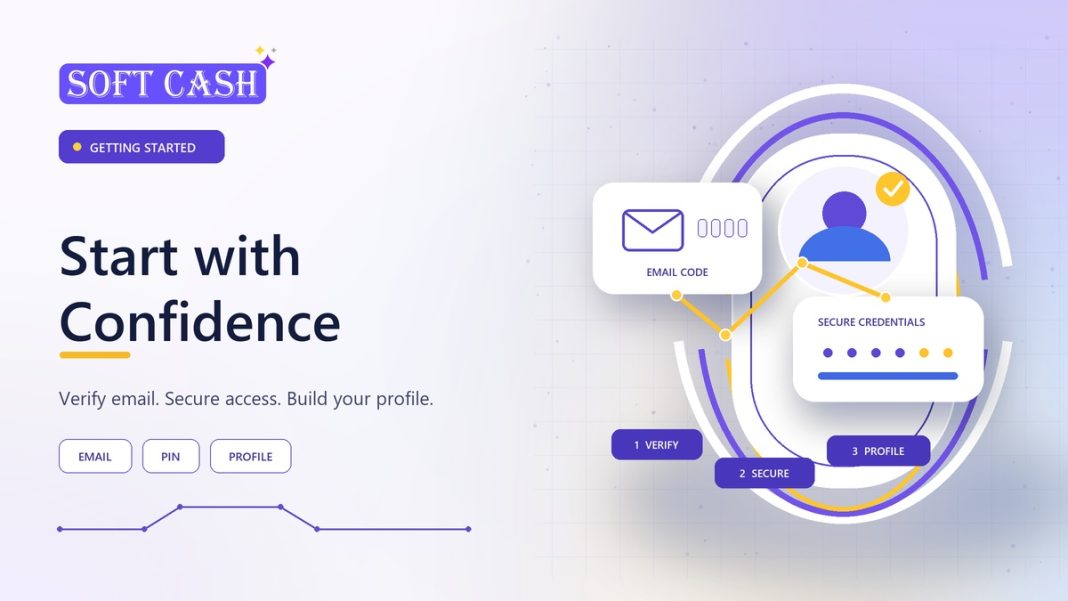
To register on Soft Cash Finance, start with a valid email address, confirm the code sent to that address, then create your username, password, and six-digit Access/Transaction PIN. Registration creates the account, while full profile verification is a separate four-step process completed afterward.
What to prepare before registration
Use an email address and mobile number that you control. Soft Cash Finance applies a one-person-one-account policy and checks uniqueness across email, mobile number, and government photo-ID number, so borrowed or duplicate details can prevent successful verification later.
If somebody invited you, keep their referral link or referral code ready before starting. The referral field is optional, and a valid code may be filled automatically when you follow an invite link. A user’s Soft Cash Finance User ID can also function as that user’s referral code. Check the code before submitting because inviter attribution is intended to remain fixed after registration.
Open the platform only through an official Soft Cash Finance address. Do not register through a link sent by an unknown account, and never give another person your email code, password, PIN, private key, seed phrase, or wallet recovery credentials. New readers can first review the complete guide to the SOFT ecosystem to understand how the account fits into the wider platform.
Step 1: enter and verify your email
- Open the official Soft Cash Finance website and choose the registration or account-creation option.
- Enter your email address carefully.
- If you have a referral code, enter it in the optional referral field or confirm the code already supplied by an invite link.
- Request the email verification code and retrieve it from your inbox.
- Enter the code in the registration screen before it expires.
If the email is already connected to an account, the platform should direct you to log in rather than create a duplicate. If the message does not appear, check the address for typing mistakes and review the spam or junk folder before requesting another code. Avoid repeated rapid requests, which may trigger rate limits designed to protect the account system.
Step 2: create secure account credentials
After confirming your email, choose a username with at least five characters. You will also set a login password and a six-digit numeric Access/Transaction PIN. The password and PIN protect different actions, so do not use the PIN as part of your password or share either one.
Create a password that is unique to Soft Cash Finance. A password manager can generate and store a strong value without forcing you to reuse credentials from another service. Choose a PIN that is not an obvious sequence, repeated digit, birth year, or fragment of your phone number. Store recovery information privately rather than in a public note, chat, or screenshot.
Once submitted successfully, these details establish your account. Registration does not by itself make the profile fully verified, release Pending Rewards, or unlock withdrawal and internal transfer.
Complete your profile after signing up
The profile stage records a verified mobile number, full name, date of birth, country, and an automatically generated User ID. Enter your full name and birth date exactly as they appear on the government-issued document you expect to use for identity verification. Country may be detected from your device IP, but you should review any displayed information for accuracy where the interface permits.
Your User ID is generated by the platform, is not editable, and is separate from the database’s internal record number. Keep it available for support and referral use, but do not mistake it for a password or other secret.
Every newly registered user currently receives a 1,000 SOFT Welcome Bonus in Pending Rewards. This is an internal Reward Center entry, not a confirmed on-chain SOFT Wallet holding. The amount is configurable and may change through an announced platform update; the live registration screen is the place to check the current value.
Understand what comes next
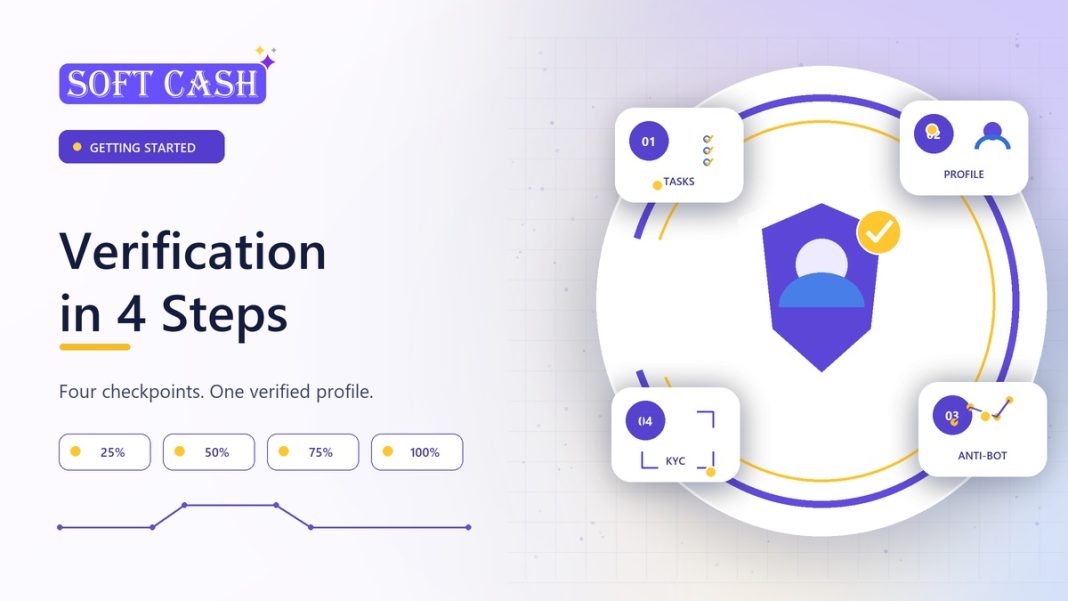
Soft Cash Finance uses four equally weighted verification steps: complete the published Primary Tasks, update Profile Info, complete Anti-Bot Activation, and pass KYC Verification. Each step contributes 25% to the visible verification progress. Reaching 100% creates a Verified Profile and moves Pending Rewards into Reward Balance under the current rules.
Withdrawal and internal transfer have separate access requirements in addition to a 100% Verified Profile. Withdrawal requires at least 4 Active Referrals, while internal transfer requires at least 2 Active Referrals.
The Reward Center is the platform’s off-chain ledger for pending and approved platform rewards. The SOFT Wallet is the on-chain BEP-20 interface for confirmed blockchain holdings. Keeping that difference in mind makes balance labels and later transfer decisions easier to understand. These distinctions reflect the platform’s community-first and traceable operating values.
Key takeaways
- Register with an email and mobile number you control and details that can match your identity document.
- An optional referral code should be checked before the account is submitted.
- Your username needs at least five characters, and your Access/Transaction PIN must contain six digits.
- Registration creates an account, but the four-step verification process determines Verified Profile status.
- Pending Rewards are off-chain Reward Center entries, not confirmed SOFT Wallet holdings.
Frequently asked questions
Is registration the same as verification?
No. Registration creates your login and account. Verification is a separate four-step process that reaches 100% only after all four required stages are complete.
Do I need a referral code to register?
No. The referral field is optional. If you use a referral link or code, confirm that it belongs to the intended inviter before completing registration.
Where does the Welcome Bonus appear?
The current Welcome Bonus is credited to Pending Rewards in the off-chain Reward Center. It is not shown as a confirmed blockchain balance in the SOFT Wallet.
Can I withdraw immediately after opening an account?
No. Under the current rules, withdrawal requires a 100% Verified Profile and at least 4 Active Referrals. Internal transfer is separate and requires a 100% Verified Profile and at least 2 Active Referrals. Other checks or limits may also apply to a specific request.
Where should I check the current registration rules?
For current registration screens, values, and platform notices, visit the official Soft Cash Finance website.